

Reading about a graph database is not the same as using one. You can follow every explanation of a MATCH clause perfectly and still freeze the first time you face an empty query editor. When you start a hands-on course on GraphAcademy, you get a real Neo4j database of your own.
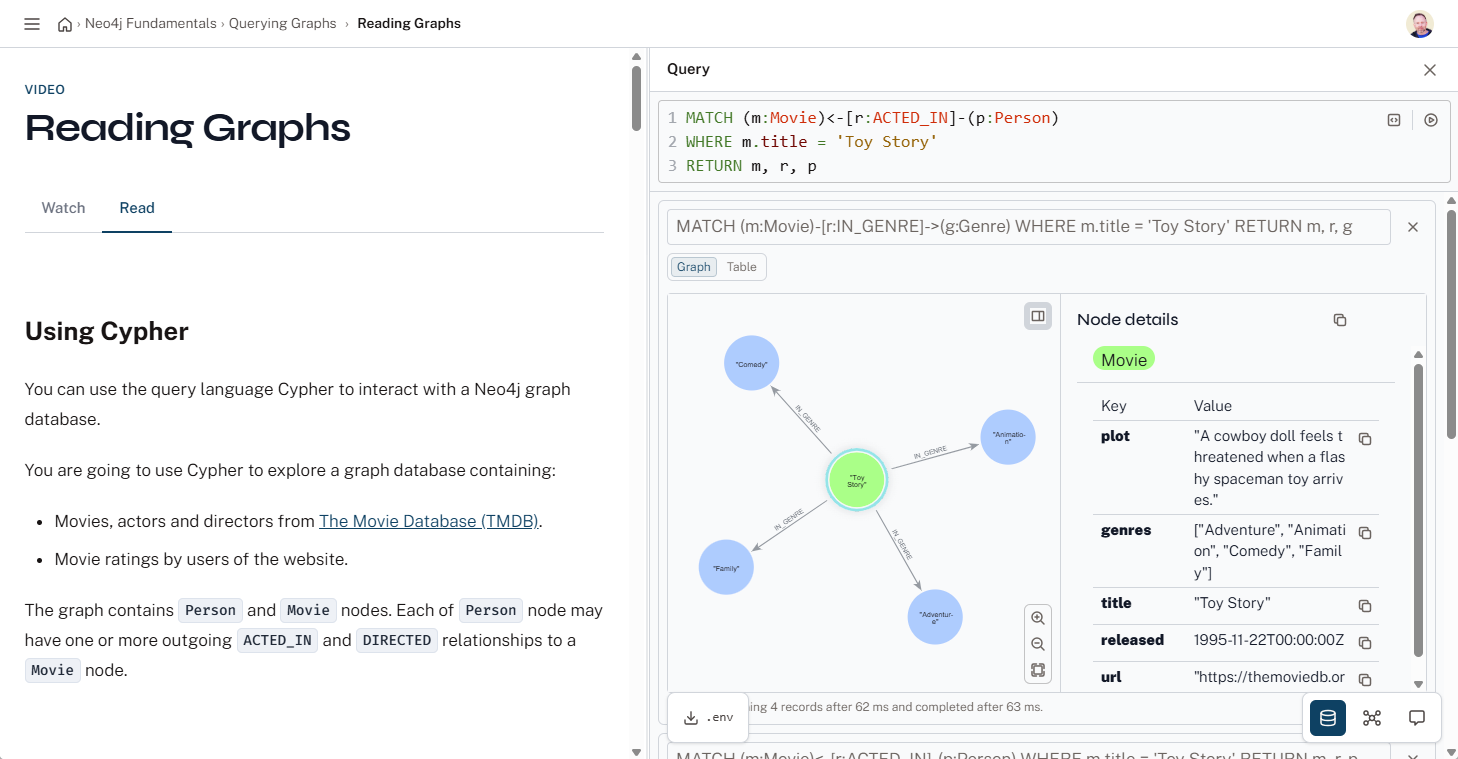
Here is how that works under the hood.
A database created just for you
When you enter a hands-on course, GraphAcademy provisions a Neo4j instance on Aura, Neo4j's fully managed cloud service. It is created through the Aura management API, and it belongs to you alone. It is your instance, with your own connection URI, username, and password, and you can connect to it from the browser, from Neo4j Browser, or from your own code.
You never see a billing page or a provisioning wizard. You open a lesson, and a running database is waiting for you.
Every instance starts empty
A freshly provisioned Aura instance is blank. No nodes, no relationships, no schema. How it is populated depends entirely on what the course is teaching.
From that blank slate, data arrives in one of two ways.
Two ways the data arrives
Some courses prepare the data for each lesson. A lesson can carry a reset script that puts the database into the exact state it needs before you begin, so you always start from a known point regardless of what the previous lesson left behind. Neo4j Fundamentals works this way: it starts you on a small movie graph, and its querying lessons read, match, and modify that graph, resetting to a clean baseline as you move between them.
Other courses come pre-loaded with a use-case dataset. When a course needs a realistic graph to explore, we seed one for you the moment your instance is created. Our application development courses, for example, all start against the same movie recommendations dataset, so you can write meaningful queries against real relationships from the very first lesson instead of importing data.
The seed runs once, automatically, in the background. When you first join a course, you may see a message that your instance is being prepared.
It pauses and cleans up after itself
Instances do not run forever. When you stop using one, Aura automatically pauses it after a period of inactivity. When you come back and open the next lesson, GraphAcademy detects the paused instance and resumes it for you.
Each instance also has a fixed lifetime and once an instance expires it is terminated and its resources are released. Come back to a course after a long break and you simply get a fresh one.
GraphAcademy runs on Neo4j too
There is a nice symmetry here: the GraphAcademy platform that hands you a Neo4j database is itself built on Neo4j.
Your instances are not tracked in a separate table off to the side. They live in the same graph that models you as a learner. When GraphAcademy provisions a database, it writes an Instance node and connects it to your User node with a HAS_INSTANCE relationship:
The Instance node stores everything the platform needs to manage it: the use-case it holds, its connection details, its seeding status, and its expiry date. Because it is a graph, operational questions become traversals rather than joins across tables. Finding every instance due to expire is a single query from the Instance nodes.
Try it yourself
The fastest way to understand any of this is to start a course and watch your own instance come to life. Neo4j Fundamentals is a good place to begin: it walks you through graph thinking and gives you a live database to experiment in from the start.



Comments (0)
Loading comments...