In this lesson you will learn:
-
How to access Neo4j Dashboards from Aura
-
Dashboard limits per tier
-
How to connect to your instance from the Dashboards UI
Connect to an instance
To use Dashboards you need a Neo4j instance. You can use the GraphAcademy instance you added as a self-managed instance.
To connect to your instance:
-
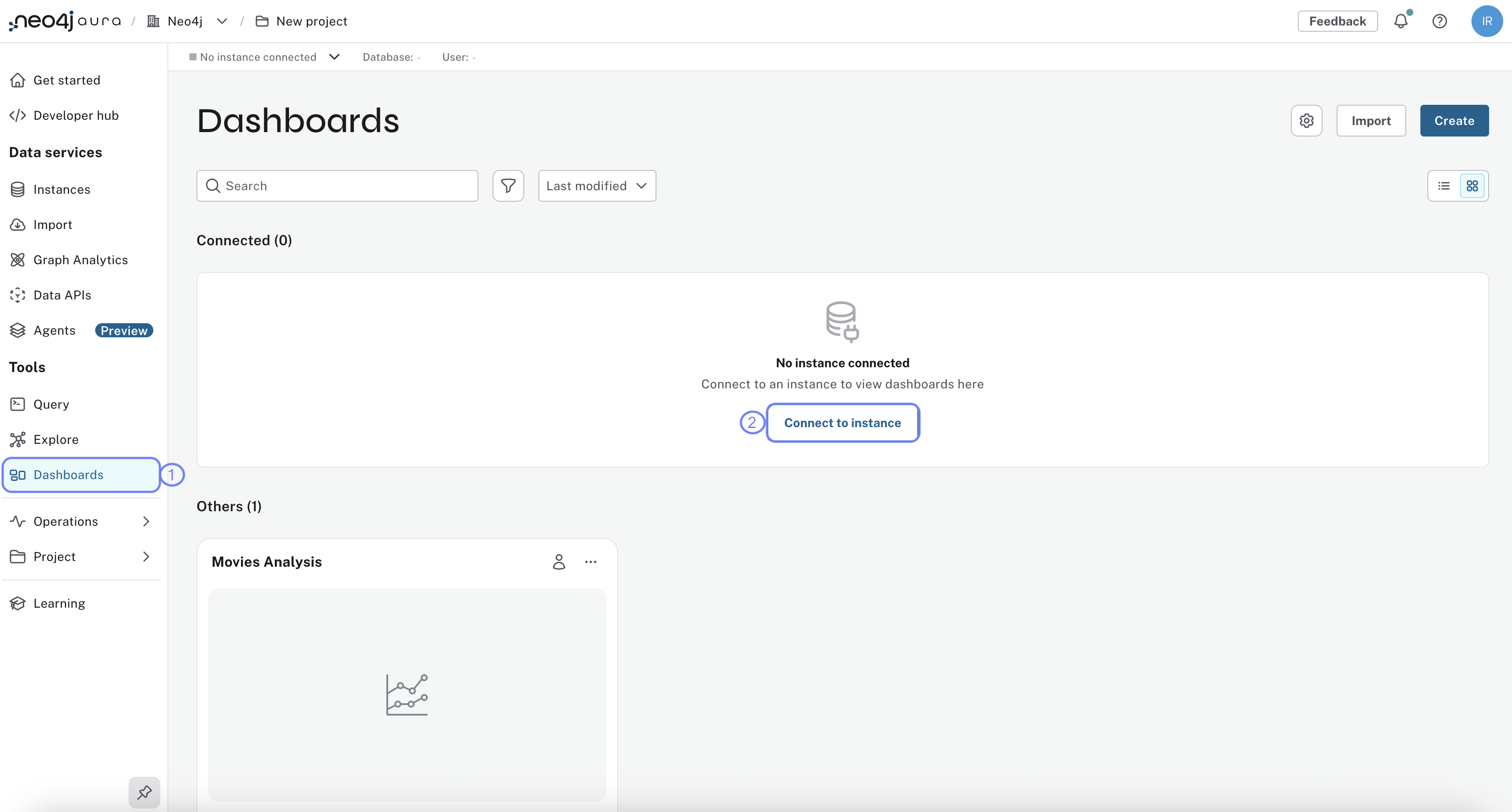
Open the Dashboards menu
-
Click Connect to instance and select your instance from the list
-
Select your instance and click Connect.
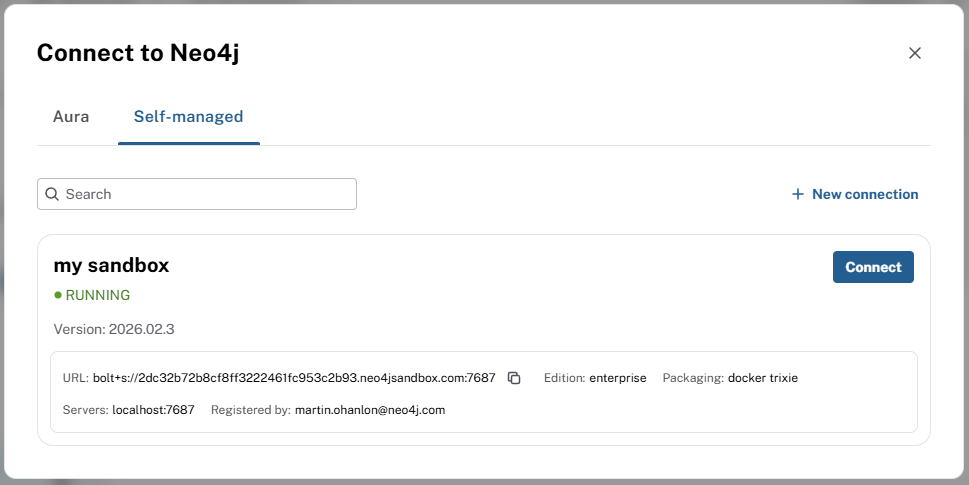
Your GraphAcademy sandbox instance connection details are:
- Connection URL
-
bolt+s://{instance-host}:{instance-boltPort}
- Username
-
{instance-username}
- Password
-
{instance-password}
Dashboard limits
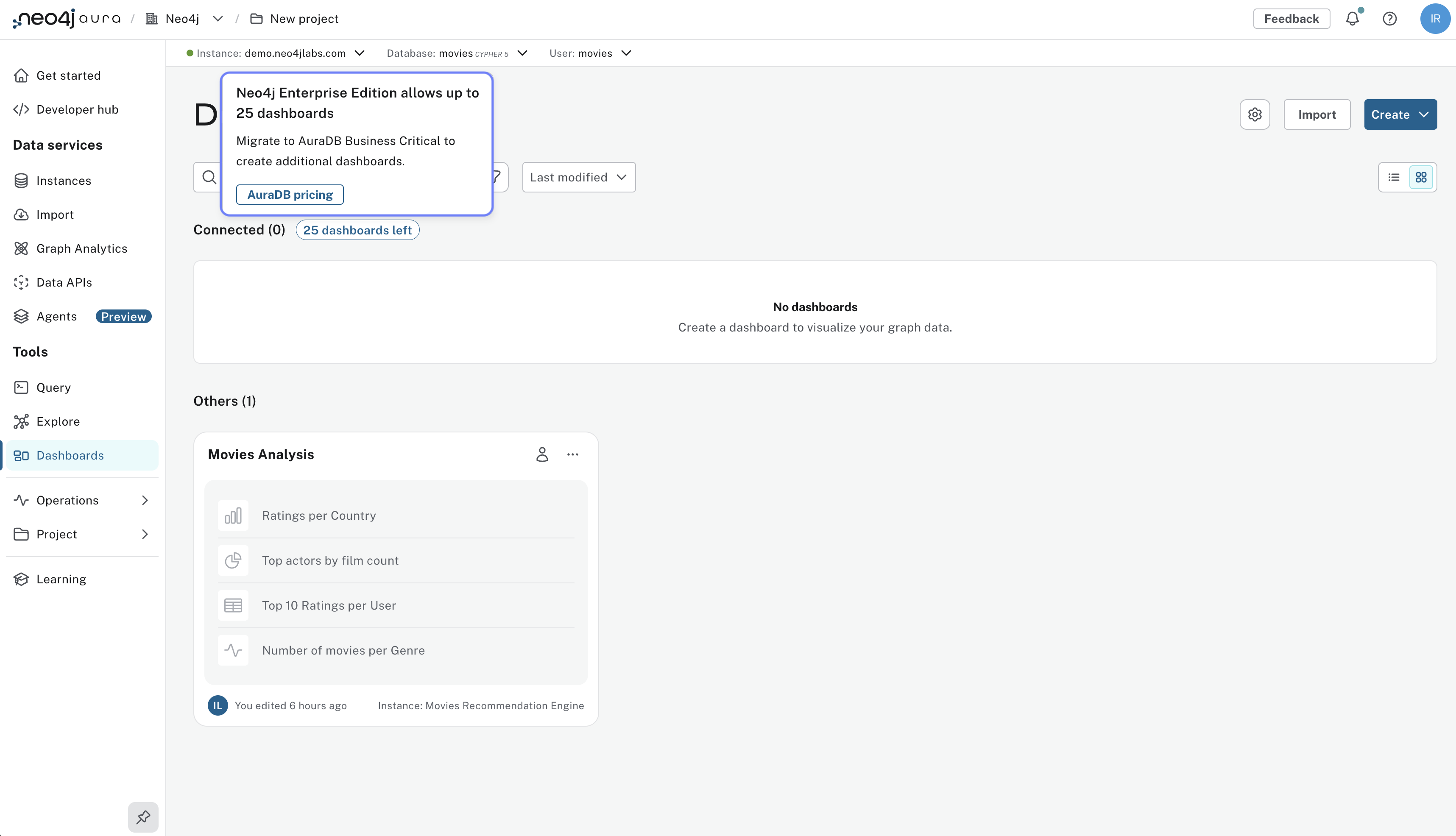
The number of dashboards you can create depends on your Aura tier. See Managing dashboards more information.
| Tier | Dashboards |
|---|---|
AuraDB Free |
3 |
AuraDB Professional |
25 |
AuraDB Business Critical |
Unlimited |
AuraDB Virtual Dedicated Cloud |
Unlimited |
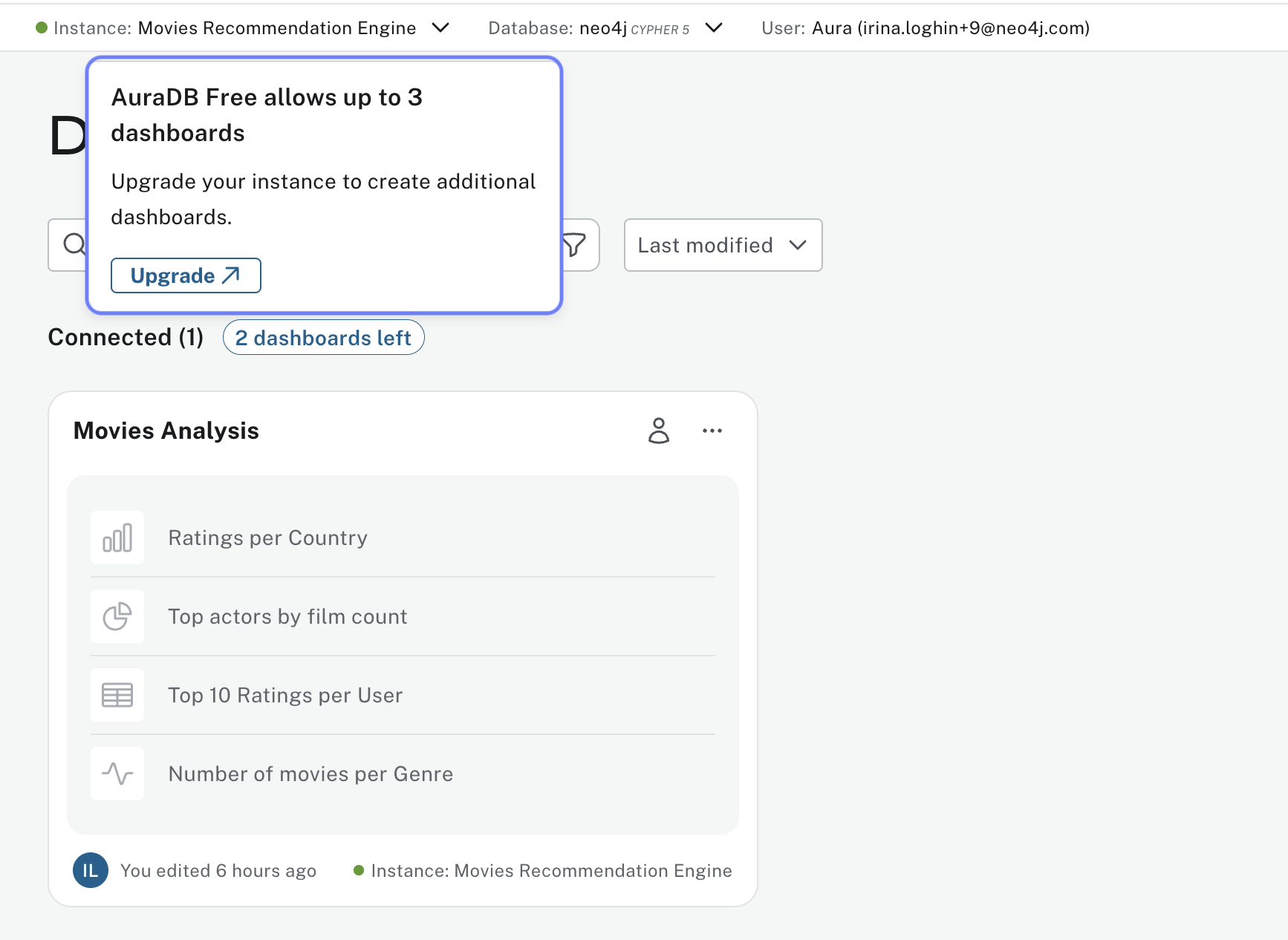
Upgrade your tier at any time to access more dashboards.
Check your understanding
Dashboard limits on Free tier
You are building a dashboard and want separate dashboard pages for different views, such as content team, marketing, and executives. You are on the AuraDB Free tier. How many dashboards can you create on Free tier?
-
❏ 1 dashboard
-
✓ 3 dashboards
-
❏ 10 dashboards
-
❏ Unlimited dashboards
Hint
Check the Aura tier limits: Free tier has a fixed maximum number of dashboards you can create.
Solution
3 dashboards.
AuraDB Free tier allows up to 3 dashboards. Professional allows up to 25; Business Critical and Virtual Dedicated Cloud allow unlimited dashboards.
Summary
In this lesson you connected Dashboards to your Neo4j Aura instance.
In the next lesson, you will create your first dashboard using AI and explore the Dashboards interface.